

GA4 Tagging Reference
GA4 Tagging Reference
The following examples can be used as a starting reference when adding GA4 tagging.
The tags that are needed in each case have been extracted and listed out to show the hierarchy of which ones can be added at a higher parent level vs. which ones will need to be added to each unique instance of an element
You can also make use of the GA4 Generator.
Note: The generator does not output the following attribute and it will need to be added to generated code manually:
data-dotagging-element-order="0"
The generator requires VPN connection.
COMMONLY USED ELEMENTS
HYPERLINK
data-dotagging-event="cta_interaction" data-dotagging-product-name="Website|Custom Content" data-dotagging-event-action-result="open" data-dotagging-element-type="body" data-dotagging-element-order="0" data-dotagging-element-subtype="hyperlink" data-dotagging-link-url="hyperlink"
data-dotagging-event-action-result values:
- open if the link stays within the same tab
- redirect if the link is an external link that opens in a new tab or window
- open if the link is for a default SRP with no search query - ex.
/searchnew.aspx - search if the link is an SRP with a search query - ex.
/searchnew.aspx?Make=Toyota&Model=~Supra
CTA
data-dotagging-event="cta_interaction" data-dotagging-product-name="Website|Custom Content" data-dotagging-event-action-result="open" data-dotagging-element-type="body" data-dotagging-element-order="0" data-dotagging-element-subtype="cta_button" data-dotagging-link-url="hyperlink"
CTA GROUP

1. Container
data-dotagging-element-subtype="cta_button" data-dotagging-element-type="body" data-dotagging-product-name="Website|Custom Content"
2. Individual CTA buttons
data-dotagging-element-order="0" data-dotagging-event="cta_interaction" data-dotagging-event-action-result="open" data-dotagging-link-url="hyperlink"
data-dotagging-element-order starts at 0 and increments for each item
WORKING EXAMPLE
IMAGE LINK
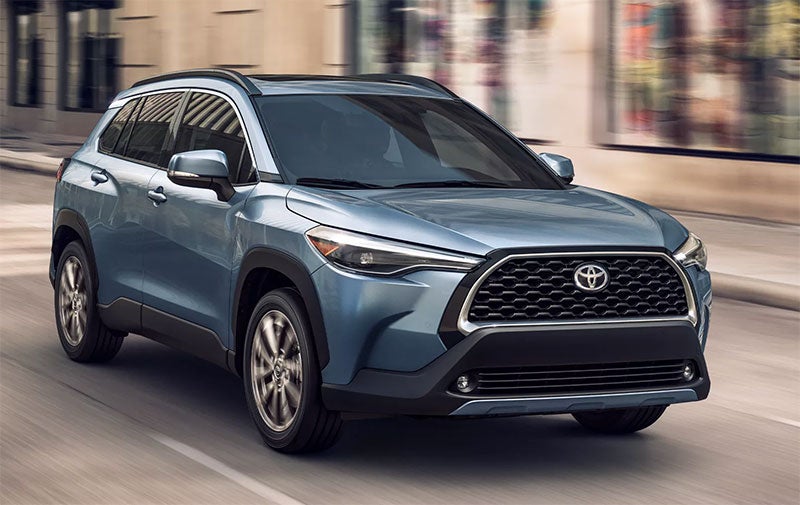
data-dotagging-event="media_interaction" data-dotagging-product-name="Website|Custom Content" data-dotagging-event-action-result="open" data-dotagging-element-type="body" data-dotagging-element-text="Toyota Corolla" data-dotagging-element-order="0" data-dotagging-element-subtype="image" data-dotagging-link-url="hyperlink"
data-dotagging-element-text is the alt text for each individual image
MODEL BARS
SLICK WITH TABS
NOTES:
- This specific model bar uses a combination of several features found throughout our model bars. It's likely a different model bar will use only Slick or only Tabs (or neither), in which case you'll need to determine the relevant tags to use
- The Left/Right slider arrows are added through the Slick JS, so they do not need to be addressed for individual replacement code updates
HIGHLIGHTED SCREENSHOT AND TAGGING GROUPS

1. Main/Outer Model Bar Container
data-dotagging-element-type="gallery" data-dotagging-product-name="Website|Model Bar"
2. ul Tabs Container
data-dotagging-element-subtype="nav_tab" data-dotagging-event-action-result="open"
3. Individual Tabs Anchor Links
data-dotagging-element-order="0" data-dotagging-element-position="top-left" data-dotagging-element-title="SUVs & Crossovers" data-dotagging-event="element_configuration" data-dotagging-link-url="hyperlink"
data-dotagging-element-order starts at 0 and increments for each item
data-dotagging-element-position is the individual link's position relative to the widget
data-dotagging-element-title is the text of each tab
4. tab-content Container
data-dotagging-item-make="Ford"
data-dotagging-item-make is whatever OEM the Model Bar is for. If multiple OEMs, this will likely need to be moved to each child tab-pane
5. Individual tab-pane
data-dotagging-element-subtype="image" data-dotagging-event-action-result="search" data-dotagging-media-type="image"
6. Individual Models Anchor Links
data-dotagging-element-order="0" data-dotagging-event="media_interaction" data-dotagging-item-model="Ecosport" data-dotagging-link-url="hyperlink"
data-dotagging-element-order starts at 0 and increments for each item
data-dotagging-item-model is the model for each individual link
7. CTA Button
data-dotagging-element-order="0" data-dotagging-element-subtype="cta_button" data-dotagging-event="cta_interaction" data-dotagging-event-action-result="open" data-dotagging-link-url="hyperlink"
HIGHLIGHTED CODE EXAMPLE
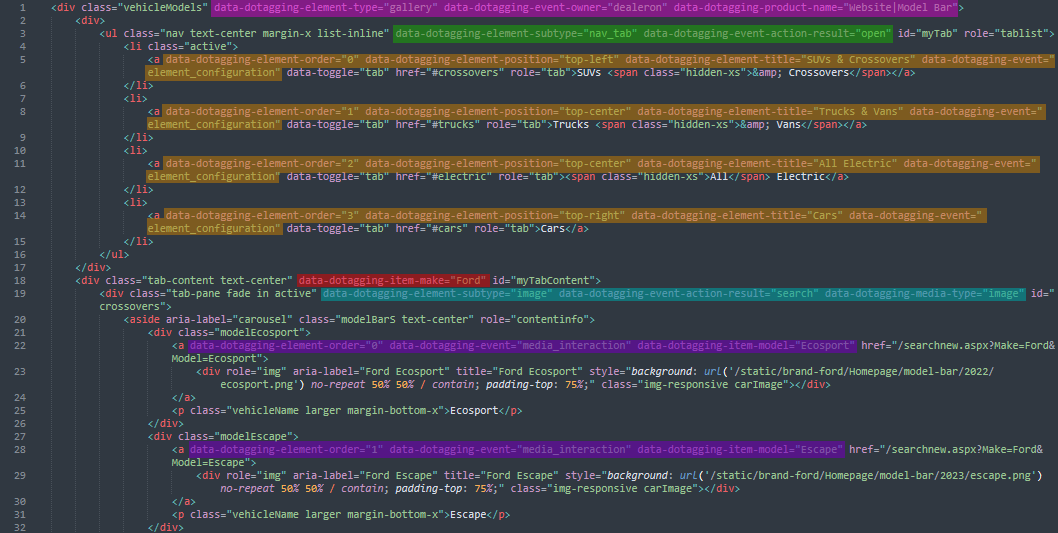
WORKING EXAMPLE
HEADERS
CLASSIC/FULL HEADER
HIGHLIGHTED SCREENSHOT AND TAGGING GROUPS

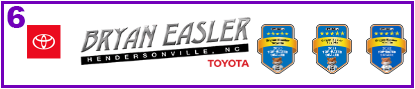
1. leftBlockInfo
data-dotagging-product-name="Website|Header" data-dotagging-element-type="header"
2. Individual Logo Links
data-dotagging-event="cta_interaction" data-dotagging-event-action-result="open" data-dotagging-element-text="DEALERMAKE" data-dotagging-element-order="0" data-dotagging-element-subtype="image" data-dotagging-link-url="hyperlink"
Note that data-dotagging-event for header logos is considered a cta-interaction, as opposed to a media-interaction
data-dotagging-element-text is the alt text for each individual image
data-dotagging-element-order starts at 0 and increments for each item
3. iconLinks Container
data-dotagging-product-name="Website|Header" data-dotagging-element-type="header" data-dotagging-element-subtype="cta_icon"
4. Individual Icon Anchor Links
data-dotagging-event="cta_interaction" data-dotagging-event-action-result="open" data-dotagging-element-order="0" data-dotagging-link-url="hyperlink"
data-dotagging-element-text is not needed for these particular links as it should auto-populate from the inner text within each link
5. Additional rightBlockInfo CTAs/headerBtns
data-dotagging-event="cta_interaction" data-dotagging-event-action-result="open" data-dotagging-product-name="Website|Header" data-dotagging-element-order="0" data-dotagging-element-type="header" data-dotagging-element-subtype="cta_button" data-dotagging-link-url="hyperlink"
6. Mobile View - Anchor Link Containing Logos
data-dotagging-event="cta_interaction" data-dotagging-event-action-result="open" data-dotagging-product-name="Website|Header" data-dotagging-element-order="0" data-dotagging-element-type="header" data-dotagging-element-subtype="content" data-dotagging-link-url="hyperlink"