

Cadillac Headers
While most of our dealership sites allow for adjusting space in the header by directly updating the height or width values of .dealerLogo img, or the font size of .dealerName, Cadillac requires strict adherence to specific ratios, which means that the Cadillac crest logo, the dealer logo or name, and the dividing vertical rule between them, must all resize together.

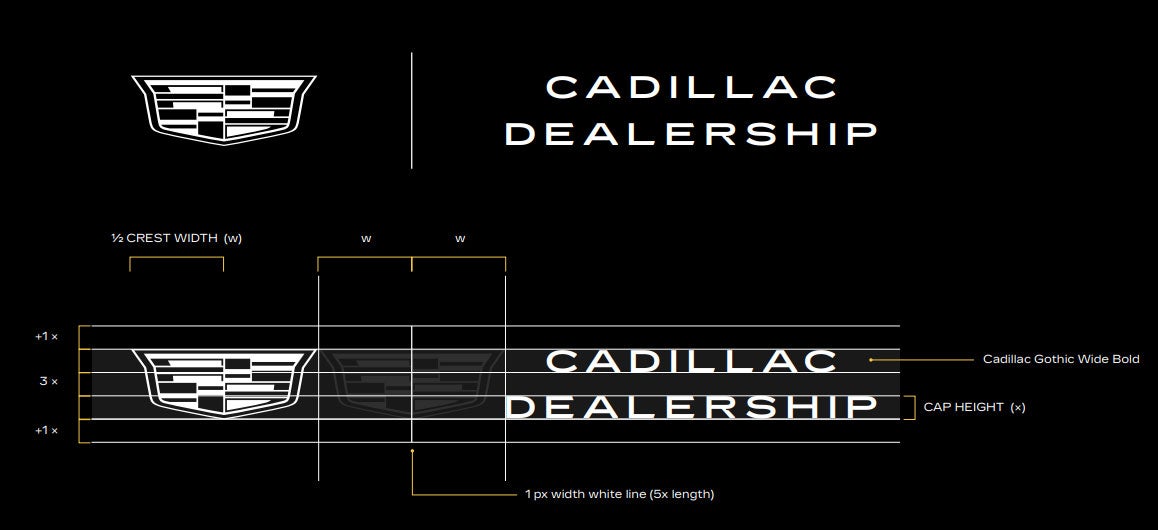
Above: Cadillac header branding ratios as seen in the Cadillac VIS ID SKB
To achieve this, this branding section of our Cadillac headers is set up using a root variable called --rule-height.
This sets the height of the dividing 1px rule object in the middle. The two items to the left and right of the rule, and the gap space in between, are updated in relation to this value.
Note that there are two individual instances of this root variable, for desktop and mobile. The default values are:
.desktop { --rule-height: 50px; }
.mobile { --rule-height: 45px; }
If you need to make updates on desktop and/or mobile, you can add overriding CSS for one or both of these in Sitewide Styles
Dealer Name Text
If you're using a properly-cropped logo.png image, all you need to resize dealer branding in the header is custom CSS for this --rule-height variable. If you're working with dealer name text, as many Cadillac sites do, there are two ways to go about it, both of which require a couple extra steps:
Method 1: Manual Width
Because the dealer name text needs to be both centered but still equally spaced from the rule, .desktop .dealerName h3 and .mobile .dealerName h4 need their width value specified. The dealer name text will almost always be two lines, and the width should be set to match whichever of the two lines is the widest.
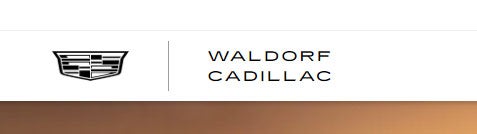
By default, these width values are set to be as wide as the text "Cadillac". So in the simplest scenario where the dealer name is shorter than "Cadillac", the width is already set and no adjustments are needed, like on Waldorf Cadillac:
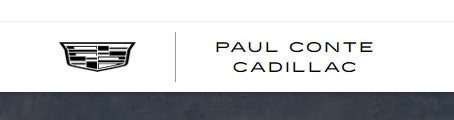
On the other hand, a site like Paul Conte Cadillac needed the width values updated in Sitewide Styles to fit the wider text:
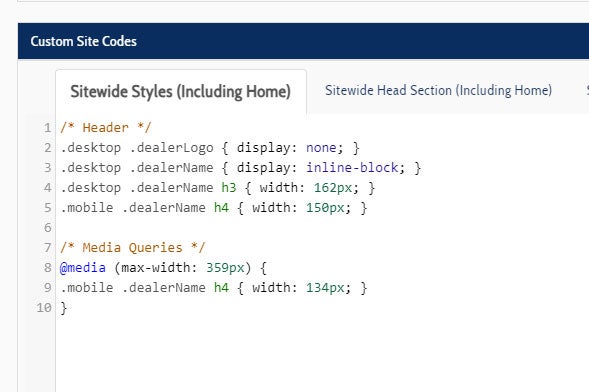
Note: Even if a Cadillac site is using a logo image, it will still display the dealer name on mobile, so these checks should still made at least for the mobile view on all Cadillac sites.
Method 2: dealerNameCustom
An alternate way to avoid manually setting multiple width values is to enter a <br> breakpoint into the dealer name text. Doing this directly to dealerName would cause a split-second shift in the text layout on page load, so there's a separate element called dealerNameCustom that replaces dealerName altogether.
The basic procedure to enable this is:
- Disable .mobile dealerName in Sitewide Styles (desktop is hidden by default in our Cadillac Style CSS)
- Add jQuery to Sitewide and Homepage Body Bottom to set the dealer name text with the included breakpoint
- If needed, add any CSS to customize the --rule-height value
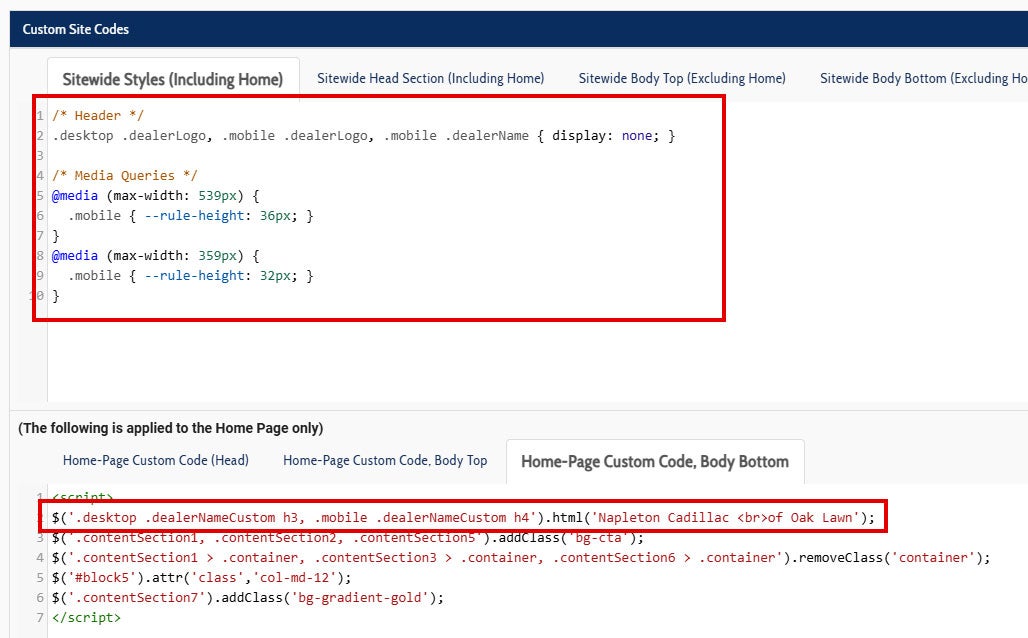
The above solution is what's being used for Napleton Cadillac of Oak Lawn. Being able to set the breakpoint removes the need for manual width settings. Only adjustments for --rule-height are needed (if any resizing is needed at all). In this case, since the dealer name is particularly long, some of the smaller mobile views needed resizing, but you also have the option to update --rule-height for desktop view or any other specific screen size ranges to help avoid overlap with the nav menu.
If you find this to be easier than setting the width of dealerName, feel free to use the dealerNameCustom method on any Cadillac site, even if it doesn't really need the manual breakpoint.
General things to remember:
- Don't add CSS to directly update logo image height/width or name text font size. Only follow the methods laid out in this knowledge article.
- The ratios from the VIS ID SKB must be adhered. For example, you can't only alter the Cadillac logo, or the gap space between logos.
- The dealer name text can be three lines tall if absolutely needed, but it's strongly preferred to try to make two lines work through reducing the --rule-height value as much as possible
ADA Issues with dealerNameCustom
Because dealerNameCustom has no text by default, it can get flagged on Accessibility tests as an empty link. This is unfortunately a design flaw in the Cadillac header HTML, and is going to be addressed on a Style-wide level by Design's accessibility team. For now, if you run into an ADA issue with a site you're working on, you can either use the dealerNameCustom method, or at least set the dealerNameCustom text via jQuery and hide it in Sitewide Styles.